Qtree Technologies
Job Assured Python Full Stack Developer Master Program
Master Python, Frontend + Backend, Django, React & Real Projects with Placement Support
Certifications





 Job Oriented Syllabus
Real Time Projects & Hands-On Labs
100% Assured Interview Guarantee
Resume + Interview Preparation
Why Python Full Stack
in 2026
The Python Full Stack Developer course is a practical, job-oriented program designed to equip learners with complete frontend and backend development skills. It covers modern web technologies, core and advanced Python, Django, REST APIs, databases, and real-time project implementation, along with interview preparation and career support to make learners industry-ready.
Class Formats

Classroom
In-person sessions conducted at our training center.

Online
Instructor-led virtual classes in real time.

Self Paced
Learn anytime with recorded video sessions.

One to One
Learn anytime with recorded video sessions.
Register for Python Full Stack Course
Syllabus
- What is Tailwind?
- Tailwind CSS Vs CSS
- Installing Tailwind
- Utilities
- Preflight
- Duplication
- Prefixes
- CSS Units
- Size and Shape
- Color and Opacity
- Alignment and Spacing
- Lists
- Typography Plugin
- Tailwind Forms
- Padding and Margins
- Borders
- Background Color
- Background Images
- Height and Width
- Containers
- Floats and Clears
- Position and Z-Index
- Tables
- Grids
- Flexbox
- Box Alignment
- Helpful Small Animations
- Transitions
- Transformation
- Other Appearance Things
- Tailwind Screen Width and Breakpoints
- Hide Base on Size
- Fewer Grid Columns on Small Devices
- Flex on Larger Devices
- Configuration File Basics
- Change Default Values
- Change Generated Classes
- Configure Variant Prefixes
- Integrate with Existing CSS
- Access Tailwind from JavaScript
- Purge CSS
- What is JavaScript?
- The development workflow
- Selecting the right tools for the job
- Just enough HTML and CSS
- Understanding objects
- Understanding variables
- Making comparisons
- Understanding events
- Writing your first script
- Internal vs external scripts
- Using comments in scripts
- Using the noscript tag in HTML
- Creating alert dialogs
- Understanding conditional statements
- Getting confirmations from users
- Creating prompts for users
- Understanding functions
- Making links smarter
- Using switch/case statements
- Handling errors
- Getting started
- Creating loops
- Passing values to functions
- Detecting objects
- Reading arrays
- Returning values from functions
- Writing arrays
- Building do and while loops
- Re-using functions
- Creating a basic image rollover
- How to write a better rollover
- Creating a three-state rollover
- Making rollovers accessible and 508 compliant
- Making disjointed rollovers
- Creating slideshows
- Displaying random images
- Getting started
- Creating jump menus
- Creating dynamic menus
- Requiring fields
- Cross-checking fields
- Displaying more informative errors
- Verifying radio button selections
- Setting one field with another field
- Verifying email addresses
- Responding to window events
- Responding to mouse movements
- Responding to mouse clicks
- Responding to onBlur form events
- Responding to onFocus form events
- Responding to keyboard events
- Demystifying cookies
- Writing a cookie
- Reading a cookie
- Displaying a cookie
- Counting with cookies
- Deleting cookies
- Handling multiple cookies
- Cookies in action
- Understanding the DOM
- Adding nodes to the DOM
- Deleting nodes from the DOM
- Deleting specific nodes
- Inserting nodes into the DOM
- Replacing nodes in the DOM
- Displaying dates
- Displaying times
- Creating a countdown
- Creating sliding menus
- Creating pop-up menus
- Creating slideshows with captions
- Creating
- ES6+ features: let, const, arrow functions, template literals
- Optional chaining & Nullish coalescing
- Dynamic imports & Top-level await
- Async/Await with Fetch API
- ES Modules in modern bundlers
- Concurrent rendering & Automatic batching
- createRoot API vs legacy ReactDOM.render
- Project setup with Vite
- Debugging with React DevTools
- JSX deep dive (expressions, attributes, children)
- Conditional rendering (ternary & logical operators)
- Fragments & shorthand syntax
- Functional components
- Class components (legacy understanding)
- Pure components & memoization
- Component composition patterns
- useState & useReducer
- Props validation (PropTypes vs TypeScript)
- Default props & destructuring
- Rendering lists with map
- Unique keys & performance considerations
- List virtualization (React Window)
- Synthetic events
- Passing arguments to handlers
- Performance optimization with useCallback
- Lifecycle methods vs Hooks
- useEffect for side effects
- useMemo, useRef, useLayoutEffect
- Custom hooks
- Controlled vs Uncontrolled components
- Form validation (Formik, React Hook Form)
- Using refs for DOM access
- React Router v6+
- Nested routes & dynamic params
- Data APIs (v6.4+)
- Navigation guards
- Redux Toolkit
- Context API
- Zustand, Jotai, Recoil
- Redux Thunk vs Redux Saga
- Suspense for data fetching
- GraphQL integration (Apollo, Relay)
- Jest & React Testing Library
- Cypress (E2E testing)
- Snapshot testing
- React.memo & useMemo
- Lazy loading & code splitting
- Virtualization (React Window, React Virtualized)
- Profiling with React DevTools
- Error boundaries
- React Portals
- startTransition
- Server Components
- Webpack (legacy understanding)
- Vite, ESBuild, Turbopack
- Tree shaking, HMR, Code splitting
- SSR concepts
- Next.js 14+ App Router
- Streaming & Edge rendering
- SSG vs SSR
- Hybrid rendering
- AI-powered UI components
- Micro-frontends
- Edge-first deployment (Vercel, Netlify)
- React Native synergy
- Eco-friendly coding practices
- Objectives
- What is NoSQL?
- Why NoSQL?
- Difference Between RDBMS and NoSQL Databases
- Benefits of NoSQL
- Types of NoSQL
- Key-Value Database
- Document Database
- Column-Based Database
- Graph Database
- Consistency
- Availability
- What is MongoDB?
- JSON
- JSON Structure
- BSON
- MongoDB Structure
- Document Store Example
- MongoDB as a Document Database
- Transaction Management in MongoDB
- Easy Scaling
- Scaling Up vs. Scaling Out
- Vertical Scaling
- Horizontal Scaling
- Features of MongoDB
- Secondary Indexes
- Replication
- Memory Management
- Replica Set
- Auto Sharding
- Aggregation and MapReduce
- Collection and Database
- Schema Design and Modeling
- Reference Data Model
- Data Types
- Core Servers of MongoDB
- MongoDB's Tools
- Installing and Starting MongoDB on Linux
- Installing and Starting MongoDB on Windows
- Data Modification in MongoDB
- Batch Insert in MongoDB
- Ordered Bulk Insert
- Performing Ordered Bulk Insert
- Unordered Bulk Insert
- Performing Un-ordered Bulk Insert
- Inserts: Internals and Implications
- Performing an Insert Operation
- Retrieving the documents
- Specify Equality Condition
- Retrieving Documents by Find Query
- $in
- $or
- AND Conditions
- $or Operator
- Specify AND/OR Conditions
- Retrieving Documents by Using FindOne
- Regular Expression
- Array Exact Match
- Retrieving Documents for Array Fields
- $Where Query
- Cursor
- Retrieving Documents Using Cursor
- Pagination
- Advance query option
- Update Operation
- Updating Documents in MongoDB
- $SET
- $Unset and $inc Modifiers
- $inc modifier to increment and decrement
- Replacing Existing Document with New Document
- $Push and $addToSet
- Positional Array Modification
- Adding Elements into Array Fields
- Performing AddToSet
- Removing Documents
- Performing Upsert and Remove Operation
- Introduction to Indexing
- Types of Index
- Properties of Index
- Single Field Index on Embedded Document
- Compound Indexes
- Sort Order
- Ensure Indexes Fit RAM
- Multi-Key Indexes
- Compound Multi-Key Indexes
- Hashed Indexes
- Sparse Indexes
- Text Indexes
- Text Search Index Creation
- Remove Indexes
- Modify Indexes
- Demo—Drop and Index from a Collection
- Measure Index Use
- Control Index Use
- Geospatial Index
- MongoDB’s Geospatial Query Operators
- $GeoWith Operator
- Proximity Queries in MongoDB
- Aggregation
- Pipeline Operators and Indexes
- MapReduce
- Aggregation Operations
- Use Distinct and Count Methods
- Use the Group Function
- Developing Node JS Application with MongoDB
- Introduction to RDBMS
- Create Database
- Create Table
- Select
- Select Count
- Select Distinct
- SWGHO
- Where
- Group By
- Having
- Order By
- Node.js
- Introduction
- The Node.js framework
- Installing Node.js
- Using Node.js to execute scripts
- The Node Package Manager
- The Node Package Manager
- Creating a project
- The package.json configuration file
- Global vs. local package installation
- Working with shrink-wrap to lock the node modules versions
- What is shrink-wrap
- Working with outdated command
- Asynchronous basics
- Callback functions
- Working with Promises
- Advance promises
- Using Request module to make API calls
- Building an HTTP Server with Node.JS using HTTP APIs
- The HTTP protocol
- Building an HTTP server
- Rendering a response
- Processing query strings
- Processing posted data
- File System
- Synchronous vs. asynchronous I/O
- Path and directory operations
- __dirname and __filename
- Asynchronous file reads and writes
- Using buffers for binary data
- Flowing vs. non-flowing streams
- Streaming I/O from files and other sources
- Processing streams asynchronously
- Multi-Processing in NodeJS
- Working with Child Process API
- Working with Cluster API for multi-core servers
- Python Overview
- History Of Python
- Cpython, Jython, PyPy
- Python Features
- Areas Of Application of Python
- Understanding More About Python
- Writing your First Python Program
- Interactive Mode Programming
- Script Mode Programming
- Why do we need Python?
- Program structure
- Python 2.7 vs Python 3
- Local Environment Setup
- Installing Python on different Platforms(Windows and Linux)
- Python Interpreter and Python Interactive Shell
- Python IDE(Pydev,Pycharm,VIM)
- Execution steps
- Interactive Shell
- Executable or script files
- User Interface or IDE
- Object creation and deletion
- Object properties
- Data Types and Operations
- Numbers
- Strings
- List
- Tuple
- Dictionary
- Other Core Types
- Assignments, Expressions and prints
- If tests and Syntax Rules
- While and For Loops
- Iterations and Comprehensions
- Opening a file
- Using Files
- Other File tools
- Function definition and call
- Function Scope
- Arguments
- Function Objects
- Anonymous Functions
- Variable scope and Returning Values
- Lambda Functions
- Object-Oriented Concepts
- Module Creations and Usage
- Module Search Path
- Module Vs. Script
- Package Creation and Importing
- Classes and instances
- Classes method calls
- Inheritance and Compositions
- Static and Class Methods
- Bound and Unbound Methods
- Operator Overloading
- Polymorphism
- Standard Libraries
- Modules Used in Python (OS, Sys, Date and Time etc.)
- The Import statements
- Module search path
- Package installation ways
- Errors and Exception Handling
- Handling multiple exceptions
- NumPy and Pandas
- NumPy - arrays
- Operations on arrays
- Indexing slicing and iterating
- Reading and writing arrays on files
- Pandas - data structures & index operations
- Reading and Writing data from Excel/CSV formats into Pandas
- Introduction
- Why Django?
- Batteries Included
- Django Principles
- What you Should Already Know
- Course Overview
- Installing Data base
- Bringing up Web server
- Defining list and list slicing
- Creating a Django Project
- Demo: Creating a Django Project
- The Model-Template-View Pattern
- Demo: Hello, World!
- Mapping URLs
- Demo: URL Mapping
- Django Views
- Demo: Templates
- Demo: Adding Models
- Django Model Classes
- Manage.py Database Commands
- Demo: The Admin Interface
- The Django Admin Interface
- Demo: The Model API
- Save and Delete
- The Model API
- Database Relations
- Demo: Adding Login and Logout Views
- More about URL Mappings
- Demo: A Template for the Home Page
- Authorization with Django
- More about Django Templates
- Demo: Adding the Home View
- URL Mappings for Apps
- Demo: Template Inheritance
- Template Inheritance
- Demo: Login Required
- Demo: Showing Game Data on the Home Page
- Demo: A Custom Manager Class
- The Template Context
- Templates: For and Include Tags
- Demo: Adding a HTML Form
- Using Django Forms
- Demo: Adding Stypng to the Form with Crispy-Forms
- Demo: Field Options
- Field Options
- Demo: Showing Invitations in a List
- Demo: Accepting Invitations
- Demo: Named Groups
- Named Groups in URLs
- Django REST framework
- Django-piston
- Introduction
- Class-based Views
- Demo: Class-based Views
- Demo: Adding User Signup
- Generic Views
- Debugging Django
- Demo: The Django Debug Toolbar
- Resources
- Introduction to Git
- Version Control Basics
- Repository
- Branching
- Commit
- Push and Pull
- Merge
- Working with GitHub
Join our community to get updates about job opportunities, hiring drives, important announcements, and exclusive insights — all completely FREE.
Join WhatsApp CommunityWhat You Will Build During the Course
Responsive websites using modern HTML, CSS, and Tailwind
Interactive web applications with JavaScript and React
Backend applications using Python and Django
RESTful APIs and database-driven systems
Real-world full-stack projects with deployment
A professional portfolio showcasing your work
AI-powered assessments to evaluate and strengthen your skills
Internship opportunities with real-world industry exposure
Program Benefits
100% Job Assistance until you are placed.
Hands-on project training with project building (3 to 5 projects).
Dedicated individual placement communication (no WhatsApp group notifications).
Corporate curriculum updated every year based on previous hiring trends.
Interview preparation (Aptitude, Communication, and Online Assessments).
Multiple mock interview rounds (based on current and previous experience).
ATS-friendly CV optimization (Naukri and LinkedIn).
Profile boosting strategies for job-search platforms.
Free LMS access for one year (CV preparation and self-assessments).
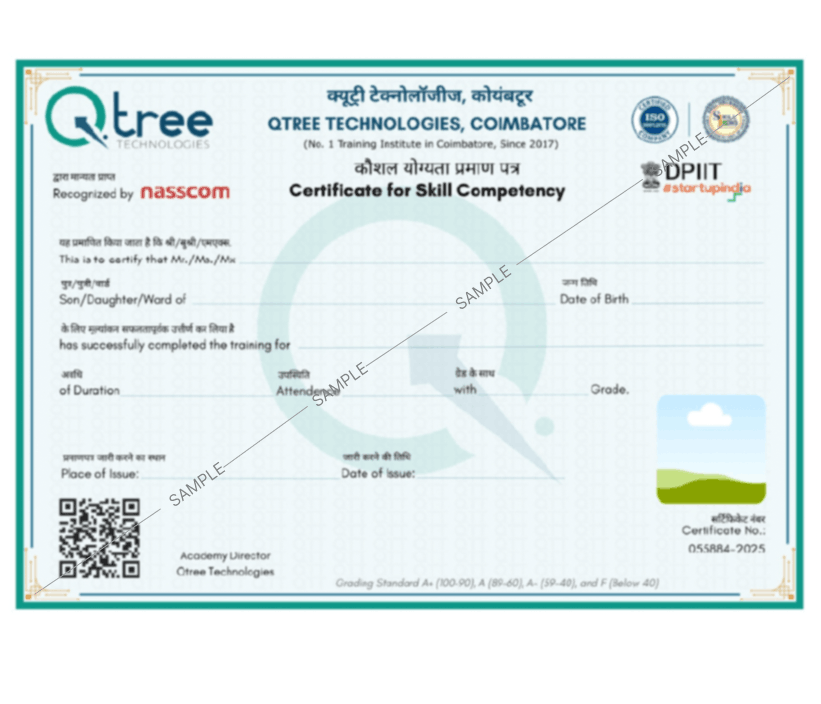
Registered and authorized course completion certificate with ISO standards and government recognition, available for lifetime verification.

Voices of Our Learners


Hiring Companies































































FAQ for Python Full Stack Training
- Python Fullstack Classroom Training in Coimbatore:
- Regular classroom-based training: 4 months, 60 minutes of Practical + Theory sessions per day.
- Fast Track (1-1): 60 days.
- Choose your options for weekday or weekend classroom training.
- We give 100% placement assistance for the candidates’ best careers.
- In the middle stage of your Python Fullstack Training, we conduct mock interviews.
- In the Mock Interviews, we figure out your technical competence and areas where you need improvement.
- After the mock interview, candidates will be fine-tuned and technically skilled to face interviews confidently.
- Assessments – Conducting frequent assessments to understand your technical competence and brief your areas of improvement during the tenure of the course.
- Interview Questionnaire – A dedicated team collates frequently asked questions in top MNCs and shares the questionnaire with candidates.
- Resume Building Services – Expert trainers guide candidates in resume preparation to help put their career on track.
- Yes, Pearson Vue offers Python certification examinations at associate and professional levels.
- You can clear the Python certificate test after completing the Qtree Technologies Python Fullstack Training program.
- Qtree Technologies is also a test center for Pearson Vue, so you can schedule your examination at our premises.
- The job of a full stack developer is to construct complete web applications including frontend, backend, and database management.
- A Full Stack Python Developer is a software professional who specializes in developing applications using the Python programming language.
- They are responsible for planning, coding, testing, and deploying software solutions.
Explore the Program in Detail
Get complete information about the course and career opportunities.